

A Patient request returns HTTP 200. The JSON parses cleanly. The resource passes schema checks. But the medication list is empty.
That gap between technically valid and clinically usable is where most data quality trouble hides. The standard defines structure, but it doesn’t guarantee every field is filled, that each patient appears once, or that two systems mean the same thing by the same code.
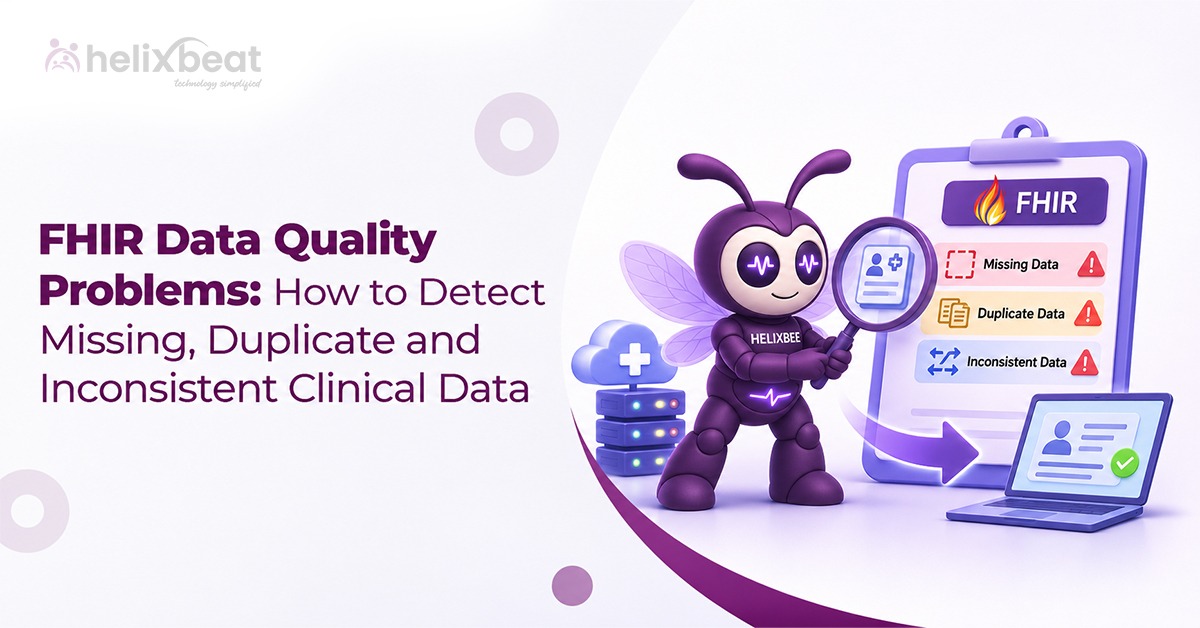
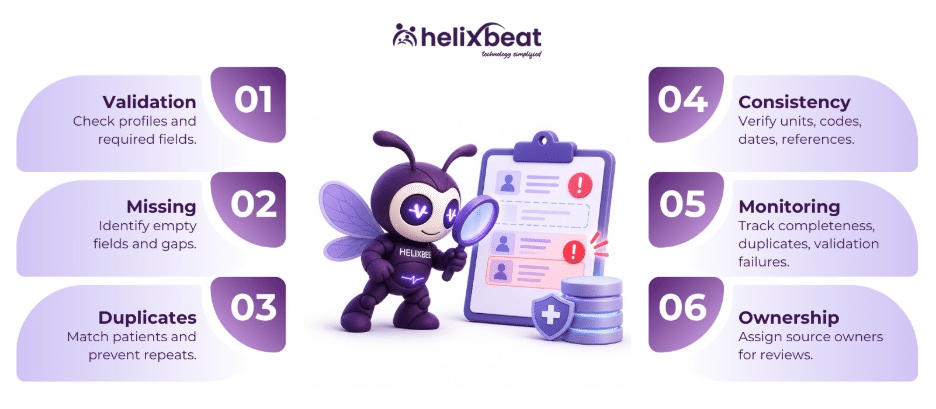
In this post, we cover how to detect the three most common problems: missing, duplicate, and inconsistent records. It also shows how to build checks that catch them before a clinician does.
Table of Contents
Why Valid FHIR Data Can Still Be Wrong?
FHIR data is flexible by design. Most elements in a resource are optional. But what it contains depends on the source system, the mapping logic, and the implementation guide your team follows.
That flexibility helps healthcare data integration move faster. However, it also lets gaps and mismatches slip through unless you test for them.
Detecting Missing Data
Missing data takes three forms. Each needs its own check.
Empty elements. An Observation can arrive with a code and status but no result. Sometimes that’s legitimate, such as a panel that groups other results. Often it isn’t. Therefore, FHIR provides a dataAbsentReason element so a sender can explain why a value is missing. An empty value with no explanation usually points to a mapping defect, not a clinical fact.
Missing resource types. Spot a patient with plenty of encounters but zero allergies, conditions, or meds? Your API connection is fine, but the data mapping for those specific fields broke down. To track it down, grab a sample of patients and compare resource counts between your source system and your FHIR server. If one type has a massive gap, you have found your broken mapping.
Thin detail. Raw text comes in unstructured. Therefore, if you want clean FHIR data, you have to start by defining what “complete” means for your goals. After that, track it per element: check the proportion of records in each resource type that actually fill out the fields you depend on. Review that metric weekly, because a sharp drop usually means someone messed with an upstream interface.
Our guide on why FHIR APIs return incomplete patient data explains the mapping causes behind these gaps.
Detecting Duplicate Data
Duplicates appear at two levels.
Duplicate patients. One person shows up as two Patient resources because each source assigned its own identifier or recorded the name and birth date differently. That’s why FHIR defines an optional Patient $match operation that servers can implement to return likely matches with scores. It works pretty well, but you will still need to eyeball the close calls yourself.
Once two records are confirmed as one person, the Patient.link element can record that relationship instead of deleting history.
Duplicate clinical records. A retried message creates a second Observation or a re-sent feed creates a second Encounter. But duplicate FHIR data like this is easiest to prevent at the door. Give every resource a stable business identifier, using both system and value. A conditional create, through the If-None-Exist header, tells the server to skip creation when a match already exists.
To find what slipped through, group resources by patient, code, effective time, and value. Flag any group with more than one member. Our guide on preventing duplicate and stale EHR records goes further on this.
Detecting Inconsistent Data
Inconsistent FHIR data is the hardest to spot, because each record looks fine on its own. Therefore, check these five areas:
- Units. Different sources hand us glucose in mg/dL or mmol/L using the same code. By demanding UCUM units in FHIR Quantities upfront, we can easily check the values against normal ranges and avoid bad data surprises.
- Code systems. The same concept arrives as a local code in one feed and as LOINC or SNOMED CT in another. Therefore, confirm that each code exists in its stated system. Servers can test this with the $validate-code terminology operation.
- Dates. The dateTime type permits partial precision, such as a year alone. Look for end dates that fall before start dates and for timestamps in the future.
- References. When an observation refers to a patient that isn’t there, we’ve got a mismatch. Check a sample, clean up those dangling references, and see how many failed.
- Status. When an encounter is flagged as finished but lacks an end date, you see why smart business logic has to step in where rigid schemas fall short.
Build Detection Into Routine Work
A one-time cleanup won’t hold. Use three layers instead.
- Validate on arrival. Validate FHIR data with the official HL7 validator against the profiles your implementation guide defines. In the US, many teams start with US Core. Profiles add required elements and terminology bindings that base FHIR lacks.
- Reconcile on a schedule. Compare source and target counts by resource type and by day.
- Watch trends. Track completeness, duplicate rate, and validation failures by source system. Set thresholds that trigger a review.
This is what good FHIR data management looks like: quality measured continuously, with a named owner for each source. The same habit supports clinical data integration across departments and wider health data integration across organizations.
If you’re planning to build on a managed server, FUSION is built on FHIR and SMART on FHIR standards. Explore how Helixbeat can support your healthcare interoperability needs with solutions designed for modern healthcare systems.
FAQs
1. What are the most common FHIR data quality problems?
Missing values, duplicate patients and clinical records, and inconsistent units, codes, dates, or references across sources.
2. Does passing FHIR validation mean the data is accurate?
No. Validation checks structure, required elements, and profile rules. It can’t tell you whether a value is clinically correct or complete for your use case.
3. How do I know if data is missing from my FHIR server?
Compare resource counts by type against the source system for a sample of patients. Then measure how often key elements are populated.
4. What is dataAbsentReason?
It’s an element, available on Observation among other resources, that lets a sender explain why a value is missing rather than leaving it blank.
5. How can I find duplicate patient records?
Use the Patient $match operation if your server supports it. Compare identifiers, names, and birth dates, then review borderline pairs manually.